Wednesday, 11 May 2016

how to Watch Age Restricted YouTube Videos Without Signing In

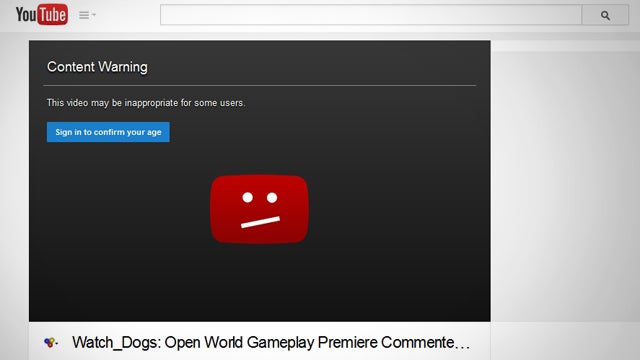
If you stumble upon a YouTube video that, for one reason or another has been set as "age restricted," you can still watch the video without signing in or confirming your age. Just use this little URL trick.
If you remove the watch? and replace the = with a /,you'll get a link that goes directly to the video without the rest of the YouTube site, and it'll play full-width in your browser. So, for example, you would take this link:
youtube.com/watch?v=6LZM3_wp2ps
and change it to this:
youtube.com/v/6LZM3_wp2ps
And you won't have to log in. Alternatively, you can add nsfw before the youtube.com portion of the link:
nsfwyoutube.com/watch?v=6LZM3_wp2ps
This will take you to a different site to play the video, but it's a bit faster to type in.

Tuesday, 3 May 2016

[HACK] iTunes , Paypal And Amazon Gift Card


This is a UNIVERSAL APP so this HACK works for both iPhone and iPad.

Note :- If you get errors when installing the hack, It might be because you have previous Flex 2 hacks installed.Go to cydia > installed tap > find the Flex 2 hack packages and remove them. Now try again and install the new deb.


Requirements:

  1. - Internet - Connection (To Download Hacked File)
  2. - Jailbroken - Device (JB)
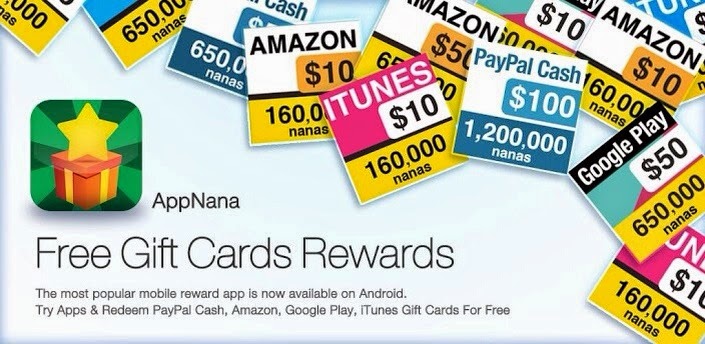
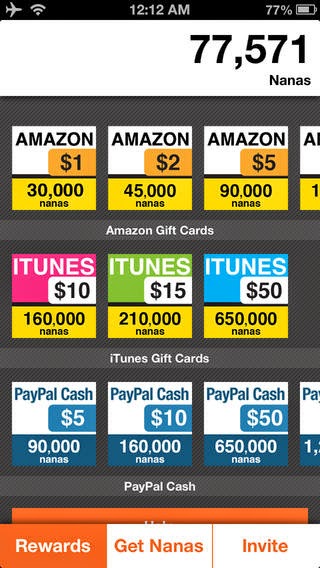
  3. - AppJoy - Free Gift Card Rewards (Open iTunes to download apps.)
  4. Flex 2 - (Cydia)

Features :

  • Unlimited NANAS - Working...

Instructions:

1.) Download the app called app-joy off of The Apple-app store for free.

2.)Open Cydia up on your jailbroken Iphone, Ipad and Ipod and search for Flex 2.

3.)Reboot your i device and open up app joy.

4.)make a account on appjoy with a valid email address.

5.)Double tap the home button for the multitask bar and open flex 2.

6.)When you are on Flex 2 Go to the second tab and find the appjoy app.

7.)Click the top file that says "appjoy unlimited nanas"

8.)Download and make sure the box is tick for the patch.

9.)Now simply switch back to the app and you will have 999,999.. nanas which you can purchase the gift cards that are not to much :smile:


(You can only buy the $5 ones because else they wont send them when i tried i never got a email back only until i bought the $5 one i received it)

[HACK] Netflix Premium Accounts - Watch TV Shows Online, Watch Movies Online Free


Netflix - Watch TV Shows Online, Watch Movies Online

https://www.netflix.com/

Watch Netflix movies & TV shows online or stream right to your smart TV, game console, PC, Mac, mobile, tablet and more. 


Netflix

By Netflix, Inc.
Open iTunes to download apps.

This app is designed for both iPhone and iPad and Android .

Free
Category: Entertainment
Updated: Apr 19, 2016
Version: 8.3.0
Size: 38.3 MB
Languages: English, Arabic, Danish, Dutch, Finnish, French, German, Italian, Japanese, Korean, Norwegian Bokmål, Portuguese, Simplified Chinese, Spanish, Swedish, Traditional Chinese

Requirements:

- Netflix iphone app
- Netflix android app
- Online Web
- Jailbreak/No Jailbreak

Features :


  • Free Premium Accounts 
  • Free Login ID & Password

10 Netflix Premium Accounts & Password


  • stevepap@gmail.com:papaj25
  • rjdandurand@yahoo.com:maverick
  • topgun72513@gmail.com:masters1
  • maimaq@gmail.com:usf458
  • jroforever@gmail.com:Allyjo27
  • erreynon@gmail.com:er143sr
  • davarr4@gmail.com:4children
  • ivy.fitzgerald@gmail.com:48104810
  • j.rothman2@gmail.com:jen1215
  • bamaboy256@gmail.com:iverson3 


Customer Ratings
     9503 Ratings
Watch anywhere.anytime.
You'll be able to see the hidden content once you
And  Reply to this topic

 Make sure to bookmark this page for daily dose of Free Netflix Premium Accounts.Please stay tuned for more hacking tricks UserX

Saturday, 30 April 2016

Get Free 300 MB Only On My Airtel App (Airtel Prepaid Users)

hi guys I'm  back with a loot Offer where they are giving Free 300 MB internet data to all Airtel Prepaid Users. In my opinion You Should Avail This Loot As Fast as possible ―


Trickspur-my-airtel-app-Loot


Instructions To Get Free Internet ―

  1. (Click On Install)To Avail This loot Install my Airtel app ―≫ Install 
  2. Login/signup using your Airtel mobile number in app
  3. Scroll down and You will see Claim free 300 MB.
  4. Booom!! Free 300 Mb credit for 3 mpnts.
  5. 100 MB per month (till next 3 months) 

Flipkart Loot Offer- Just Download App, Sign Up & Get Free Pizza Hut Rs 150 Off On Rs 300 Coupon

Flipkart Loot Offer-Flipkart Has Come Up With A Loot Offer In Which They Are Giving A Flat Rs 150 Off On Rs 300 Pizza Hut Voucher For All Those Users Who Download Flipkart App For The First Time And Sign Up On It.Hurry Up And Grab The Voucher !!

Flipkart loot offer- Just Download app, sign up & Get Free Pizza Hut Rs 150 off on Rs 300 Coupon

Note:- Offer Is Valid For Customers Who Installs & Logs In To The Flipkart App For The First Time Between 28th August – 10thSeptember,2015 !!

How To Rs 150 Off On Rs 300 Pizza Hut Voucher ?

1. Download Flipkart app here – Android | iOSWindows
2. Now open the app and sign up for a new account
3. That’s it !! You will get a notification at the top. Click on it and there you will find your Pizza Hut Voucher :)

How To Reedem The Pizza Hut Voucher ?

1. Download Pizza Hut App Android || iOS
2. Login /Register
3. Now select anything you want (among “Pan & So Cheezy Pizzas, Appetizers & Desserts”)
4. Enter your address >> Proceed . You can either choose delivery option or pick up whatever is more comfortable for you.
5. On next page, your neighbouring hut would be shown to you. You can now select the time that whether you want your pizza right now or eat it sometime later.
6. Click on ” Confirm Order”
7. Enter Coupon you got from flipkart App to get flat Rs 150 off on Rs 300 or more
8. Click on “Confirm Order” >> Enter name, email, mobile number and make payment !! Enjoy !!

Terms And Conditions:-

  1. Offer is valid for customers who Installs & logs in to the Flipkart App for the first time between 28th August – 10thSeptember,2015
  2. Eligible customers would get a coupon code that entitles a user INR 150 off on a minimum spend of INR 300 from Pizza Hut
  3. Coupon Code would be given as an In-app notification after user successfully logs in to the Flipkart App.
  4. Coupon code is only valid on “Pan & So Cheezy Pizzas, Appetizers & Desserts”.
  5. Offer is valid only on the Pizza Hut Mobile App
  6. The coupon code will be valid till 30th Sep, 2015.
  7. In case of any coupon issue, please reach out to Pizza Hut customer care @ STD Code -39883988
  8. Offer Source:- Visit here

Aircel Free Rs 10 Offer - Get Rs 10 Free Recharge On Every Rs 50 Recharge From Aircel App

Aircel free Rs 10 offer-Aircel is offering Rs 10 Free Recharge on every Rs 50 Recharge from aircel App. Aircel is India’s fifth largest and fastest growing GSM mobile service provider with a subscriber base of 65.1 million. Aircel is a pan India operator with a presence across 23 circles. How to get Rs 10 free on Rs 50 Recharge, Just follow the steps below:-
Aircel free Rs 10 offer - Get Rs 10 Free Recharge on Every Rs 50 Recharge From Aircel App

How To Get Rs 10 Free On Every Rs 50 Recharge From Aircel App:-
Steps:-

2) Login or sign up to your aircel account.
3) Recharge your prepaid mobile or Data of Rs 50 or more.
4) Apply Coupon:- AIRCEL10
5) Now Make the Payment using Mobikwik, Oxigen wallet, debit cards, credit card, Net banking etc. and complete your transaction you will get Rs 50 Recharge + additional Rs 10 Free Recharge if use Coupon:- AIRCEL10.
6) This offer is valid for 3 times/months.
Tags:- Rs 10 free recharge, aircel offers, aircel tricks, aircel loot, aircel coupons, aircel coupon codes, promo codes, aircel free recharge,best deal,aircel deal

How to Secretly Track Someone's Location Using Your iPhone


Before You Start

If the person you want to track is running iOS 8, you'll need to download the Find My Friends app from the iOS App Store on their phone, as well as yours. On iOS 9, which is already available, Find My Friends is a stock app that will already be on the device.

Step 1: Enable "Share My Location" on Their iPhone

Begin by opening the Find My Friends app on their iPhone, then tap on their contact picture at the bottom to enable "Share My Location" from the settings.
Also make sure that the location is being shared from "This Device" (under the "Share My Location From:" setting), as there may be other devices (like an iPad) that are attached to the same iCloud account.

Step 2: Share Their Location to Your iPhone

On your iPhone, swipe up from the bottom of the screen to enable AirDrop from the Control Center. Make yourself discoverable to "Everyone", although the "Contacts Only" option will suffice as long as their iPhone has your contact information saved to it.
Back on their iPhone, tap on "Add" (in Find My Friends) and hit your contact icon when it appears. Select "Share Indefinitely" to share their location to your iPhone for an unlimited amount of time.

Step 3: Accept Their Location; Don't Share Yours Back

Once their location is shared to your device, hit "Accept." After a few seconds, a popup will appear asking if you want to share your location with them. Tap on "Don't Share" so that they can't track your location.

Step 4: Track Their Location

In the Find My Friends app, simply click on their contact icon to see their exact location in realtime. You'll also see options to be notified if they leave or arrive at a certain location, so you can alert yourself when someone leaves their house or work (yeah, creepy).

How to Be Really Sneaky About It

Of course, all of this is probably dependent on you not getting caught. Luckily, most people won't venture into their Find My Friends app, and even if they do, they'd have to actively look at who they're sharing their location with.
But, there are a couple of ways to hide the app so that they don't even realize they have it.

Step 5: Hide Their 'Find My Friends' App

You can do this one of two ways:
  • Make It Disappear Using the Dock (Easy)
  • Make It Disappear Using a Folder (Not as easy)
Either of the methods above will remove the Find My Friends app temporarily, but restarting the device will bring the app back on the home screen.
While I don't condone tracking someone's location without their consent, I believe that it's important to be aware of how built-in features can be manipulated to take advantage of others.